We’re excited to announce the Early Access Availability of the QR Code Sign‑In Feature. This initiative gives customers an early opportunity to experience the new QR Code Sign‑In capability, explore its benefits, and help shape the final solution through real‑world feedback. Below, you’ll find an overview of the feature along with the key benefits it brings to your organisation.
Overview
QR Code Sign-In allows users to seamlessly transition from SAP Concur Web to the Mobile App by simply scanning a QR code displayed on the web login screen. This eliminates the need to re-enter credentials, enabling quick and secure access on the go.
Benefits Include:
-
Faster login: No password typing on mobile - just scan and go
-
Seamless continuity: Effortless transition from Web to Mobile
-
Improved user experience: Reduced friction for frequent travelers and mobile users
-
Secure by design: Maintains SAP Concur’s security standards while simplifying access
Users can:
-
Update expenses while traveling
-
Book or modify travel on the go
-
Upload receipts instantly from their phone
How it works?
Step 1. Login to your Concur Account.
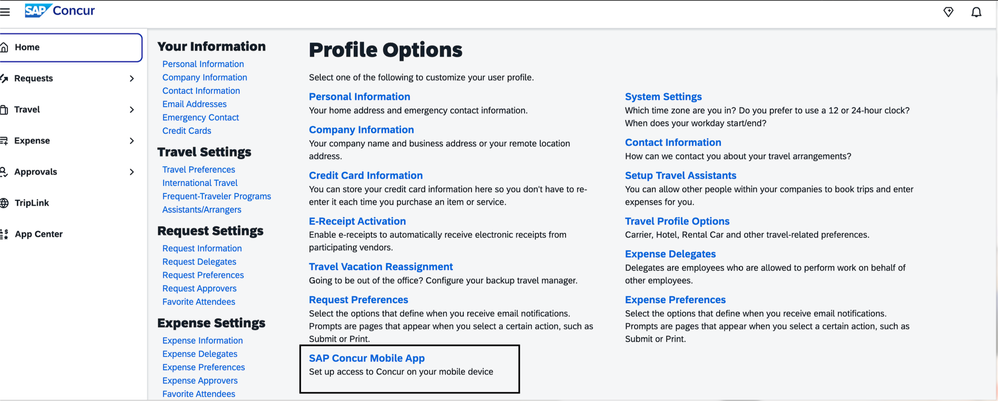
Step 2. Go to Profile > Profile Settings
Step 3. Click on SAP Concur Mobile App as shown below.
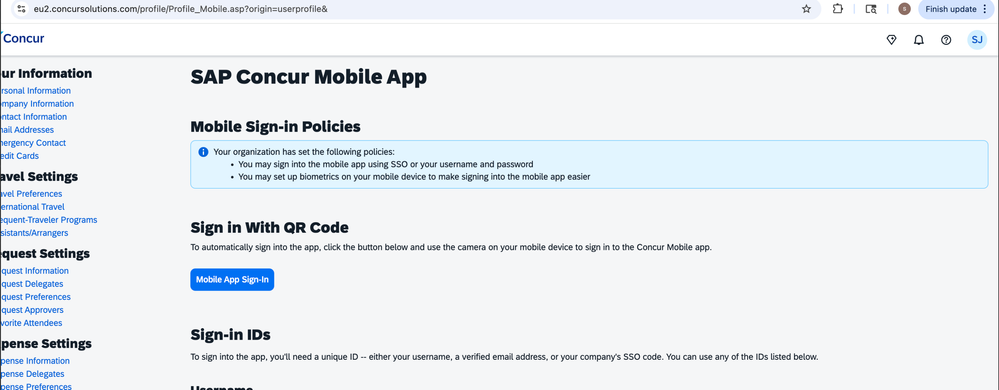
Step 4. Click on the Mobile App Sign in option
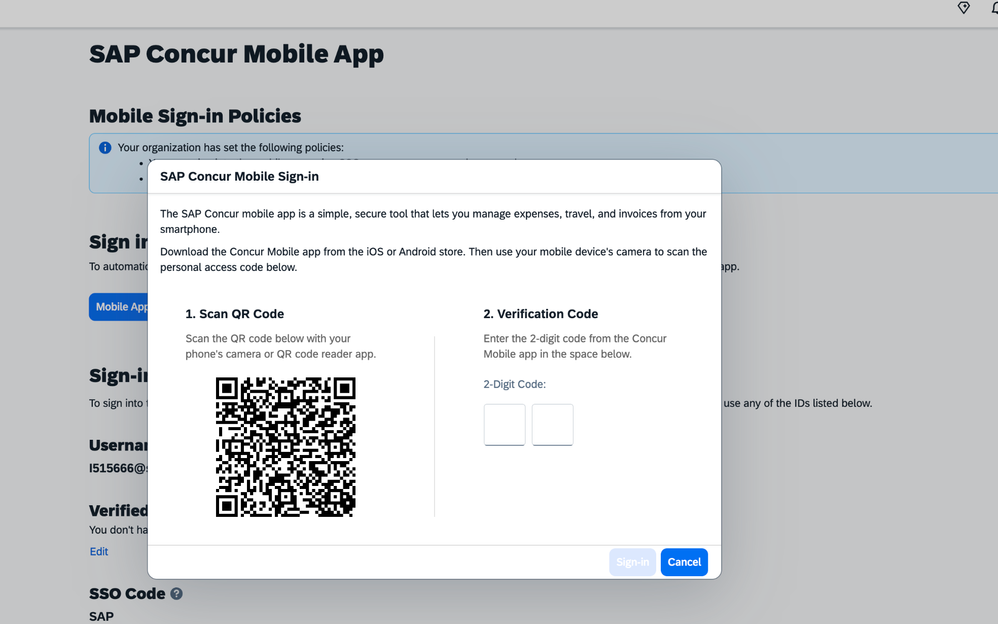
Step 5. Scan the QR Code
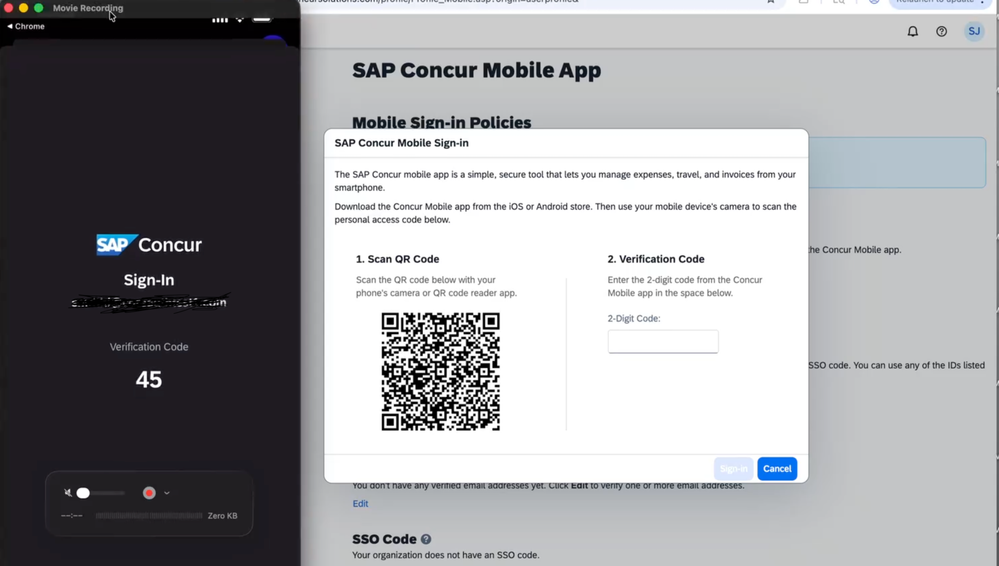
Step 6. Enter the 2 digit code displayed on your SAP Concur Mobile app once you scan the QR code. Enter the code on the Web and you are DONE!
Why participate?
By joining the Early Access Program, you will:
• Get early access to the QR Code Sign‑In feature before general availability
• Participate in hands‑on testing and validation in your environment
• Provide direct feedback that helps influence the final product experience
• Collaborate closely with our product and engineering teams throughout the program
Timelines
- Early Access for Customers is available now.
-
General Availability is Planned for Q2 2026
Where can I find more information?
We’re here to support you! Please view the following resources:
How to get started
If you’re interested in participating, please click this link - https://influence.sap.com/sap/ino/#campaign/4191 and enroll yourself. Once your request is received, our teams will work with you to:
• Enable the feature for your tenant
• Support testing and validation activities
• Collect feedback and insights during the EAC phase
We look forward to partnering with you and appreciate your interest in helping us deliver a secure, seamless, and user‑friendly sign‑in experience.



